What you can run on StreakHQ
- • Last-person-standing and round-based competitions
- • Public competition hubs for player self-service
- • Organisation-managed entries, deadlines, and status visibility
- • Multi-competition seasons with clear public updates
For organisations
Create a branded competition hub for your club, league, or community. Organise entries, track rounds, and give players one clear place to join and follow updates.
This page is a planning view for organisation onboarding direction. Final copy and product proof points will be refined in future passes.
Structured placeholder messaging to test hierarchy before final product marketing copy.
Give players a dedicated destination for competition listings, rules, and entry status updates.
Configure competition structure and control launch-readiness with clear admin workflow checkpoints.
Support player access with simple join paths and transparent competition status messaging.
Track progress through rounds and monitor key competition views from one admin workspace.
A quick look at the pages your players will use to stay on top of deadlines, make picks, review results, and see how the field is backing each round.
Screenshot unavailable
Image missing: player-deadlines.webp
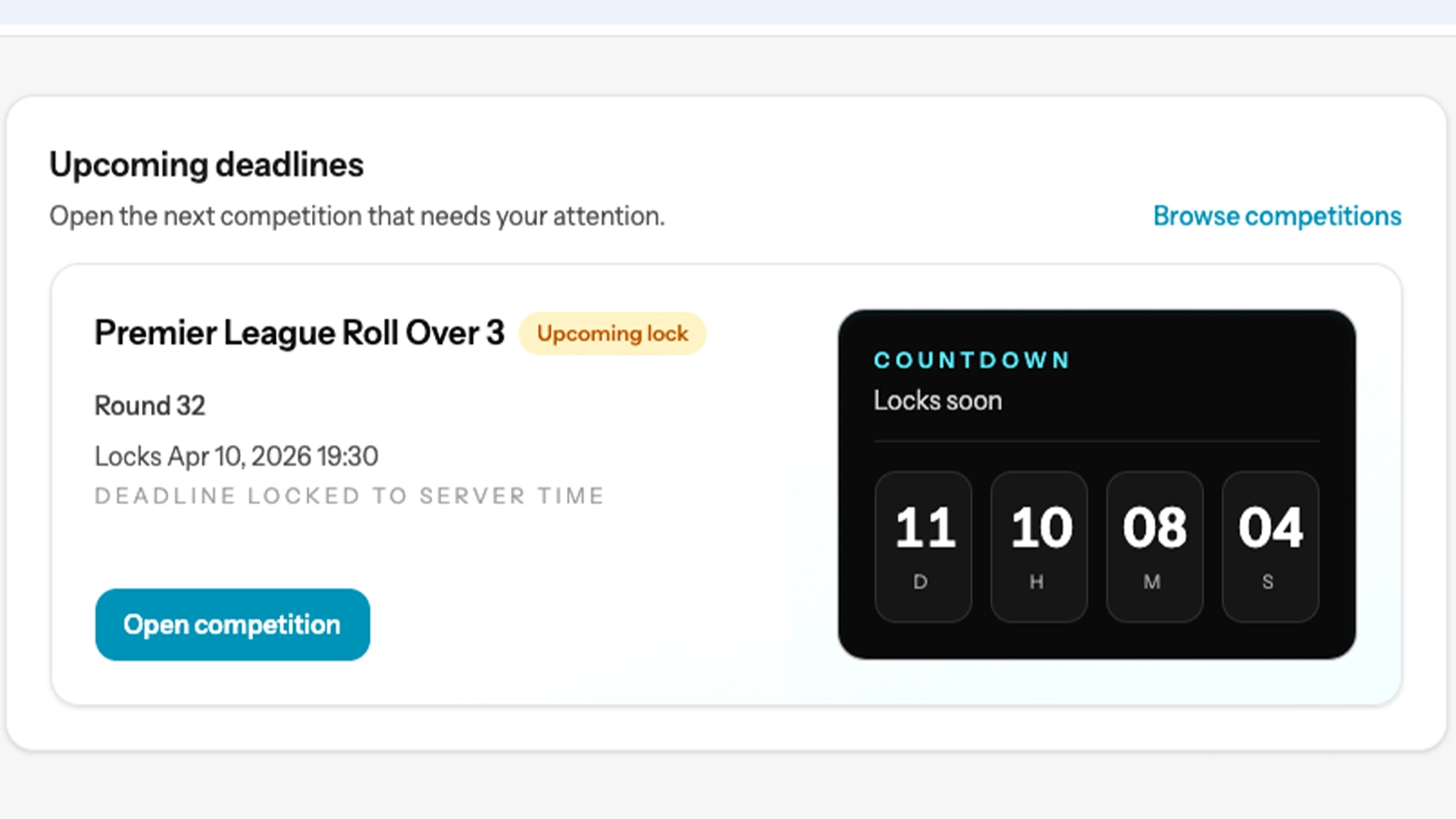
Players can quickly see which competition needs attention next and jump straight in.
Screenshot unavailable
Image missing: player-picks-workspace.webp
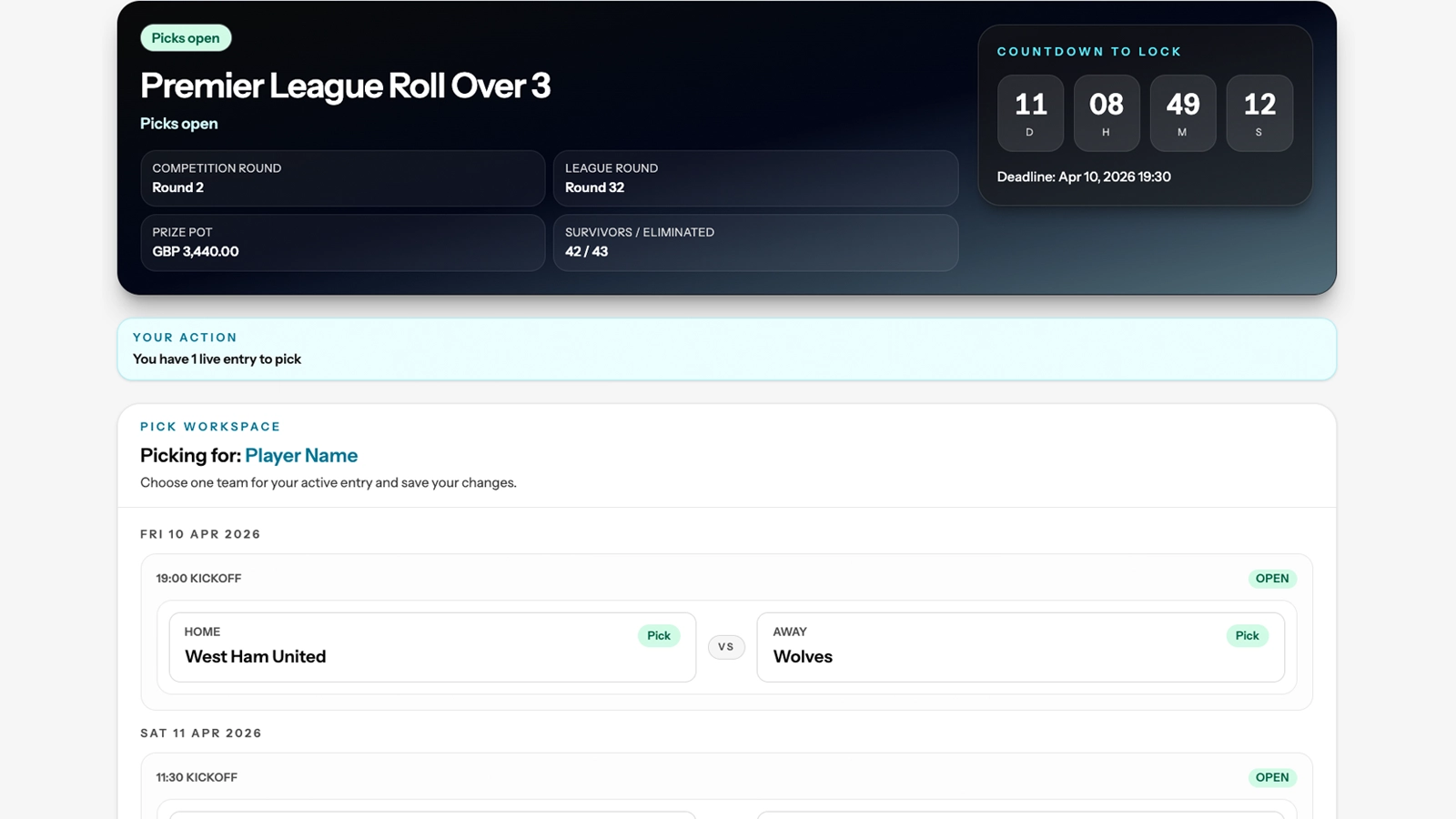
A clear, focused screen for making picks before the round locks.
Screenshot unavailable
Image missing: player-results-review.webp
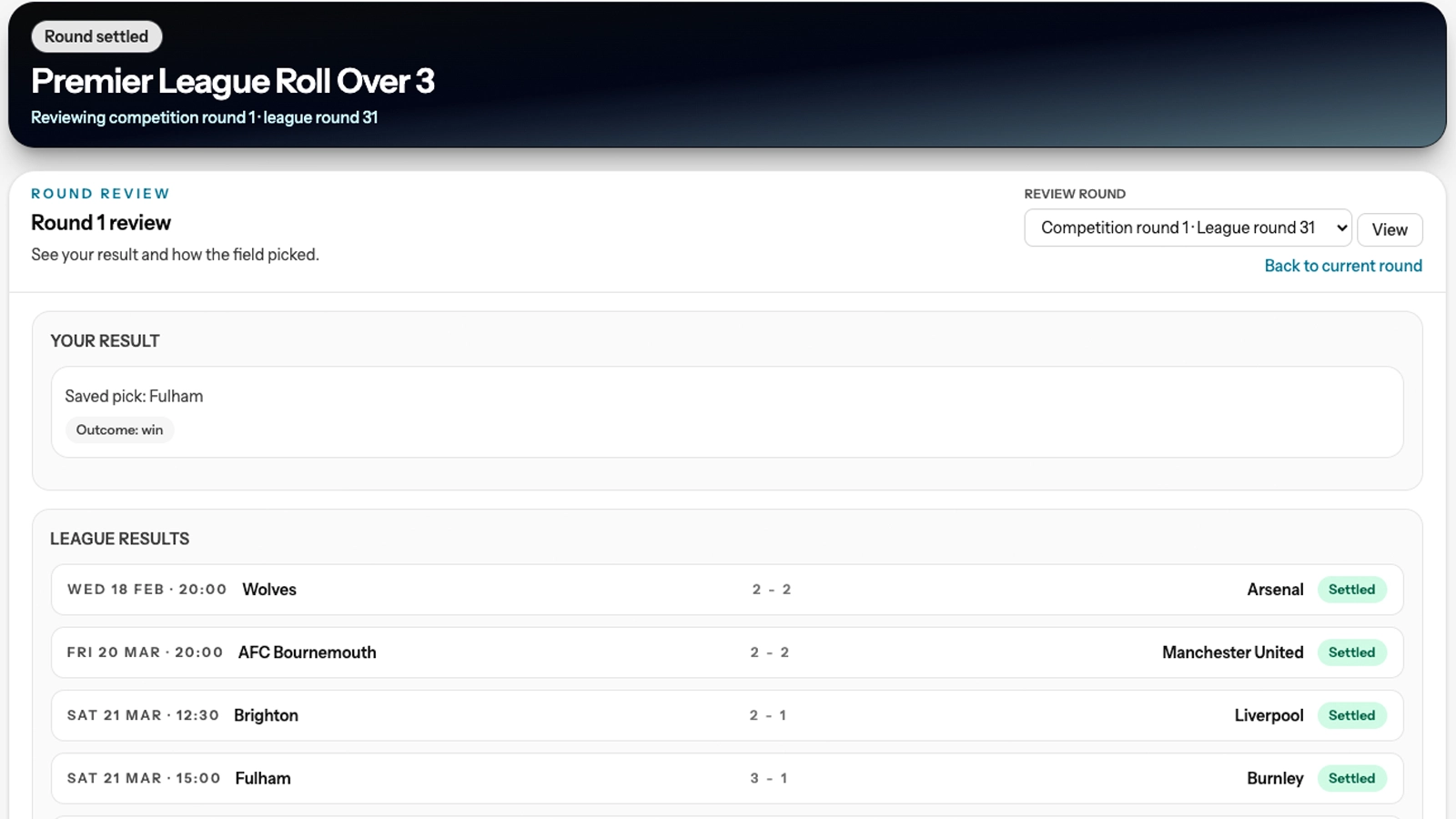
Players can review their picks, see round outcomes, and follow settled results.
Screenshot unavailable
Image missing: player-how-everyone-picked.webp
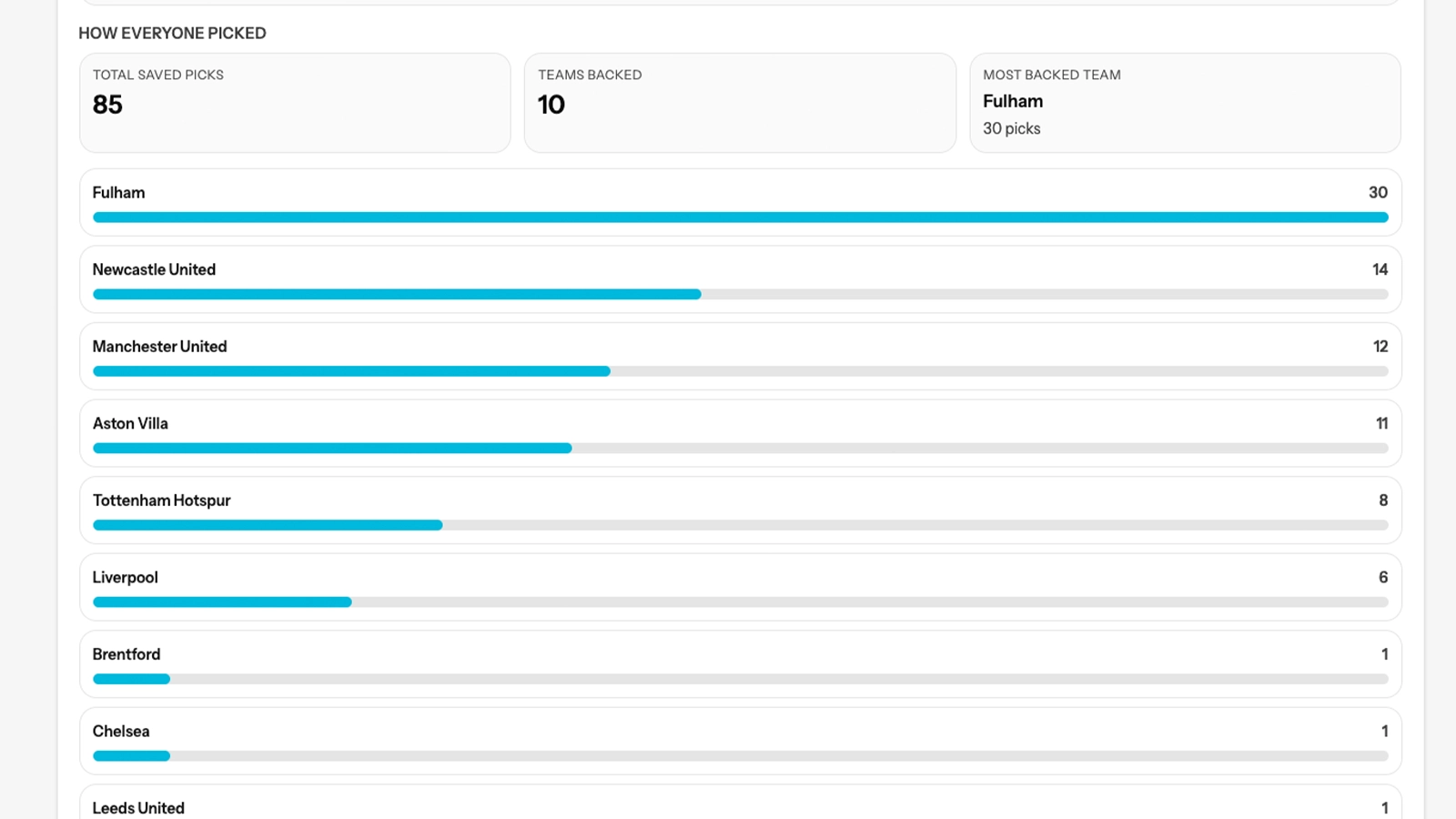
Players can see the most-backed teams for the round and compare their pick with the wider field.
Step 1
Create your account and prepare your organisation context.
Step 2
Configure competition details and get your player hub ready.
Step 3
Share your organisation page or private join details so players can register and take part.
Step 4
Track entries, round status, and results throughout the season.
StreakHQ provides the platform organisations use to run private competitions. Your team gets dedicated software for setup, player management, picks, standings, deadlines, and day-to-day administration.
We charge a platform fee for access to StreakHQ tools. StreakHQ does not collect, hold, control, or distribute organiser entry fees, prize money, or competition pots.
Each organisation is responsible for its own competition setup, entry fees, payment collection, prize structure and payouts, and player-facing competition terms. StreakHQ may provide game and format guidance so participants can understand how the competition engine works, but this is operational guidance only and not legal advice.
Private competition setup, player access, picks, standings, and admin controls in one workspace.
StreakHQ charges for platform access and tooling, not a share of organisation competition funds.
Your organisation manages participant payments, prize structures, and payouts directly.
Who handles entry fees and prize money?
For organisation-run competitions, the organisation itself handles entry fee collection, prize structures, and payouts. StreakHQ provides the platform and does not hold competition funds.
Ready to explore the organisation path?
Submit an organisation application for platform review. We’ll create your workspace after approval.